
A recognizable sender.
An optional logo, contact details, and page footer help identify the organization making the offer.
Put the role, compensation, and agreed terms into a letter that feels considered from the first line. Choose a design, tailor the wording, and check the final document.
Create your offer letterTry another layout using the information already in this form.
Review what to prepare, compare the layouts, and understand the controls before you finish the letter.
Use a traditional letter format or a layout that organizes the role and terms into clearer sections.
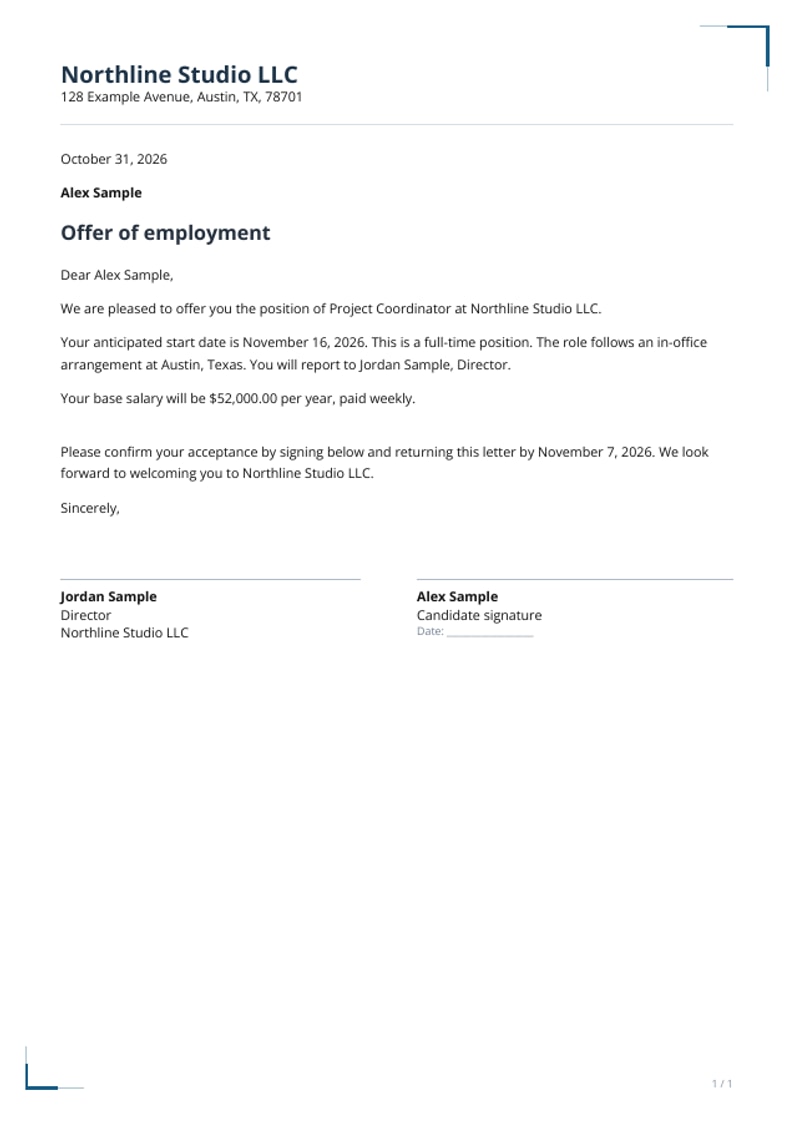
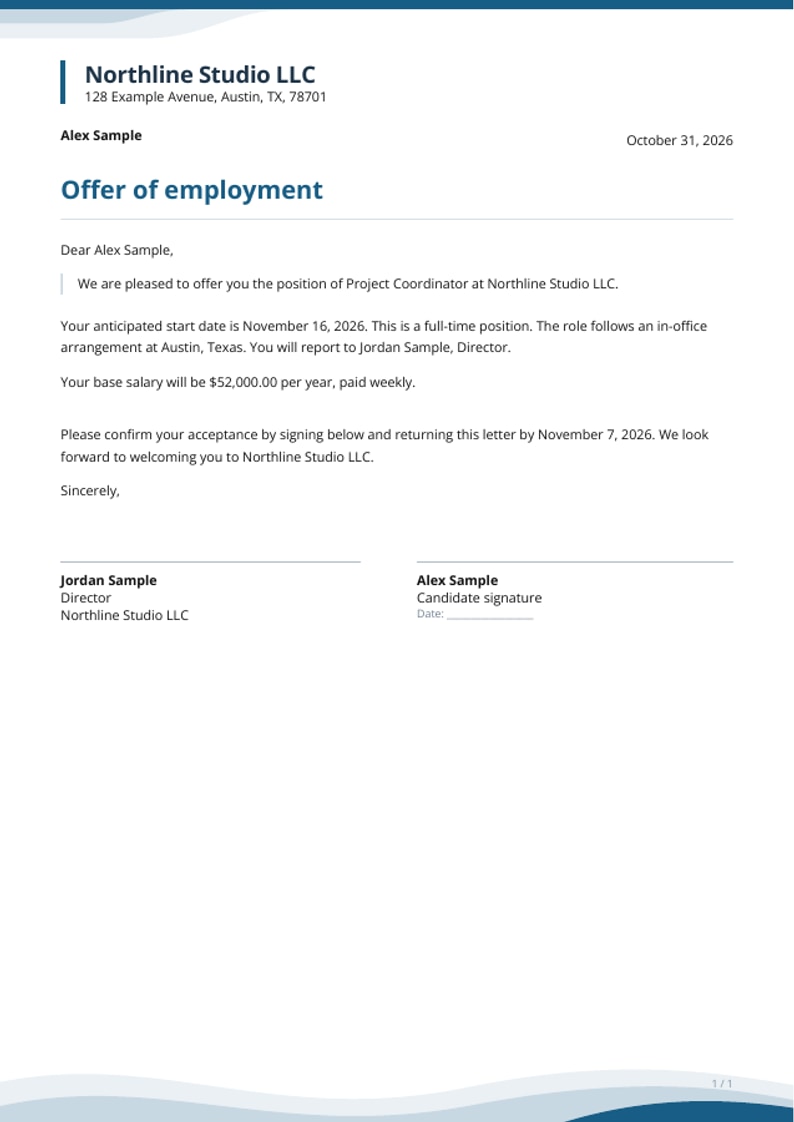
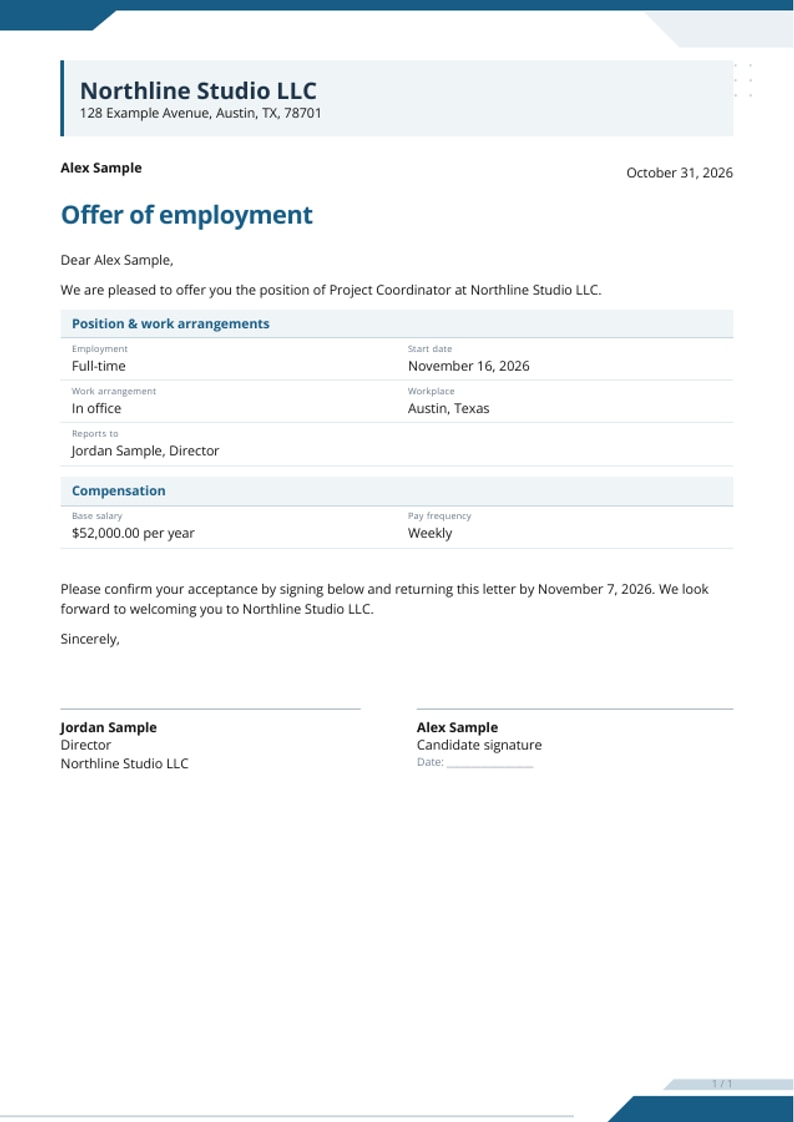
Bring the approved information, choose its presentation, and read the result from beginning to end.
Actual product screenshots · Fictional example details
Record who is making the offer, who it is for, and the approved position, pay, and dates.
Choose a layout and company details, then tailor passages to express the terms accurately.
Inspect the screen and PDF previews before checkout. After completion, download the letter for your records.
Use the available fields to explain this role and the terms being offered.
An optional logo, contact details, and page footer help identify the organization making the offer.
Try Essential, Modern, Executive, or Letterhead. Use the color, font, and text-size controls to refine the selected layout.
Describe how and when pay is calculated, together with the work arrangement, hours, and schedule.
Check the suggested text against your approved offer. Replace any passage that does not express your intended terms.
Leave a signing line, choose a styled typed name, or add a drawn or uploaded company signature. Review how it appears in the PDF.
Compare the screen and PDF previews. If you need more time, save a private editing link for the unfinished letter.
Understand how the layout, custom text, and saved links behave before completing the offer.
Your entered details and custom text carry across all four layouts, so you can compare designs without rebuilding the offer.
In Review, open Customize the wording to edit an individual passage. Revisit custom text after changing a date, pay amount, or other related field.
Complete the required fields, then use Open PDF preview to inspect the document. The preview is watermarked; the completed PDF does not carry PREVIEW.
The candidate email is retained as a form detail and is not printed or used for automatic delivery. Checkout uses its own delivery email. You decide when and how to send the completed offer to the candidate.
While you work, this tab retains the current draft. Save for later gives you a private editing link valid for 30 days. Anyone who has that link can change the unfinished letter, so store it carefully.
Finish edits before completing the purchase. A completed letter cannot be changed in this form; send support the order reference if you need help with a correction.